


Define your accrual rules
Set the schedule, reset, and cap that match your PTO policy. Configure defaults for everyone and customize for individuals as needed.

Set your accrual rules once. actiPLANS keeps every balance current, logs every change, and lets employees check their own PTO without calling HR






One formula error, one wrong balance, one frustrated employee and HR is spending the afternoon on a problem that should never have existed. actiPLANS automates PTO tracking end to end so the numbers are always right and the history is always there.
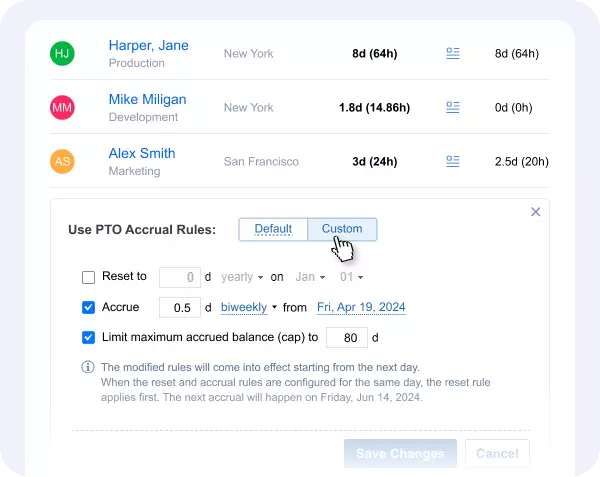
actiPLANS supports weekly, biweekly, monthly, yearly, and hire date anniversary accrual, plus yearly resets and accrual caps. Mix and match rules organization-wide, then override them for individual employees who have different entitlements.
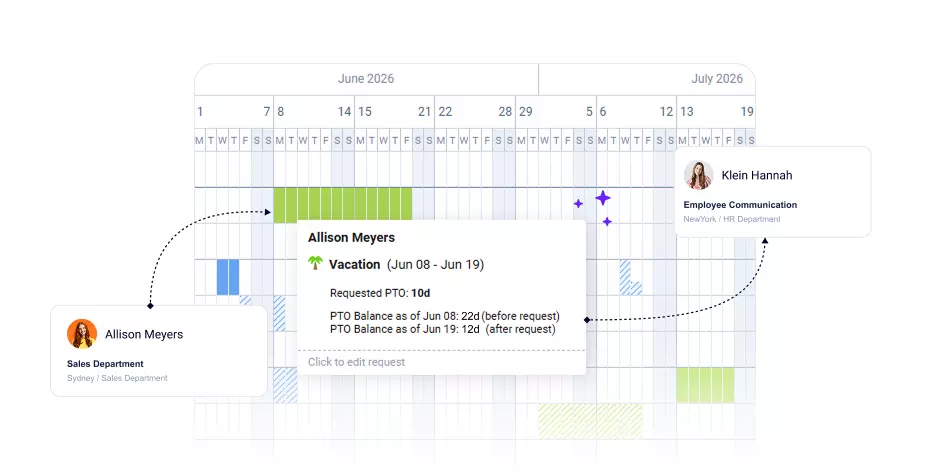
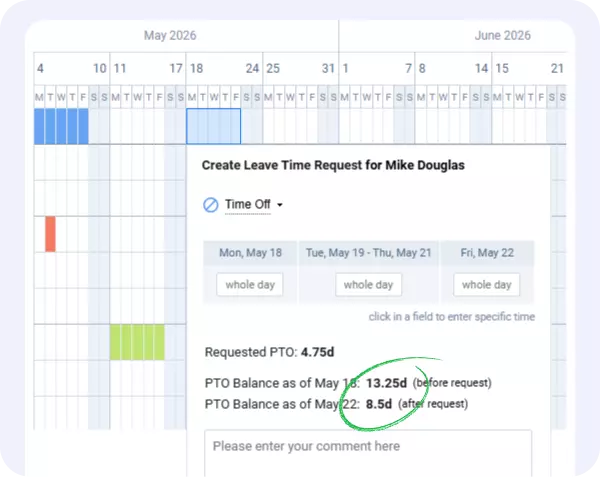
Before submitting a request, employees see their current balance and a preview of how the request will change it. No guessing, no questions to HR - just clear information from the web or the mobile app.
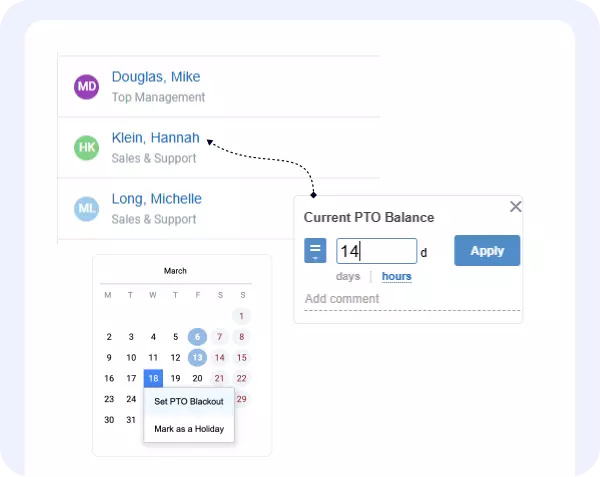
Manually increase, decrease, or reset any employee's PTO balance with a comment for the record. Set balance limits to block requests when a balance runs low. Add PTO blackout days for busy periods, with exceptions for managers when needed.
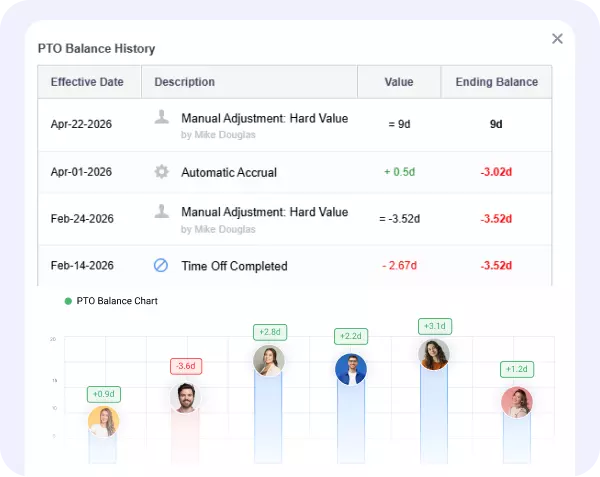
Every accrual event, approved leave, and manual correction is recorded automatically. Employees see their own history. Managers see all of their users and can export the full record as PDF for payroll or compliance.
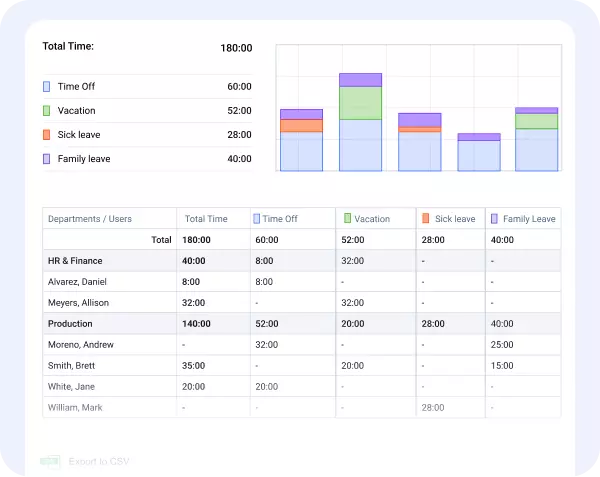
The Leave Time and Balances report lets you filter by employee, department, leave type, and date range, then export as CSV or PDF. Balances are shown as of both the first and last date of the selected period so payroll prep is straightforward.

actiPLANS has freed up a lot of time that we previously spent on manual spreadsheet edits. Now, our team can use this time to work on more important tasks.
Set the schedule, reset, and cap that match your PTO policy. Configure defaults for everyone and customize for individuals as needed.
When a rule triggers or a leave is approved, the balance changes and the event is recorded. No manual entries required.
They check their balance, preview the impact of their request, and submit - all without involving HR.
View balances, make corrections, run reports, and export data whenever needed.
Set the schedule, reset, and cap that match your PTO policy. Configure defaults for everyone and customize for individuals as needed.
When a rule triggers or a leave is approved, the balance changes and the event is recorded. No manual entries required.
They check their balance, preview the impact of their request, and submit - all without involving HR.
View balances, make corrections, run reports, and export data whenever needed.
Book a demo with our product experts and get it rolling

